GeoTIFF: The Unsung Hero of Geospatial Data
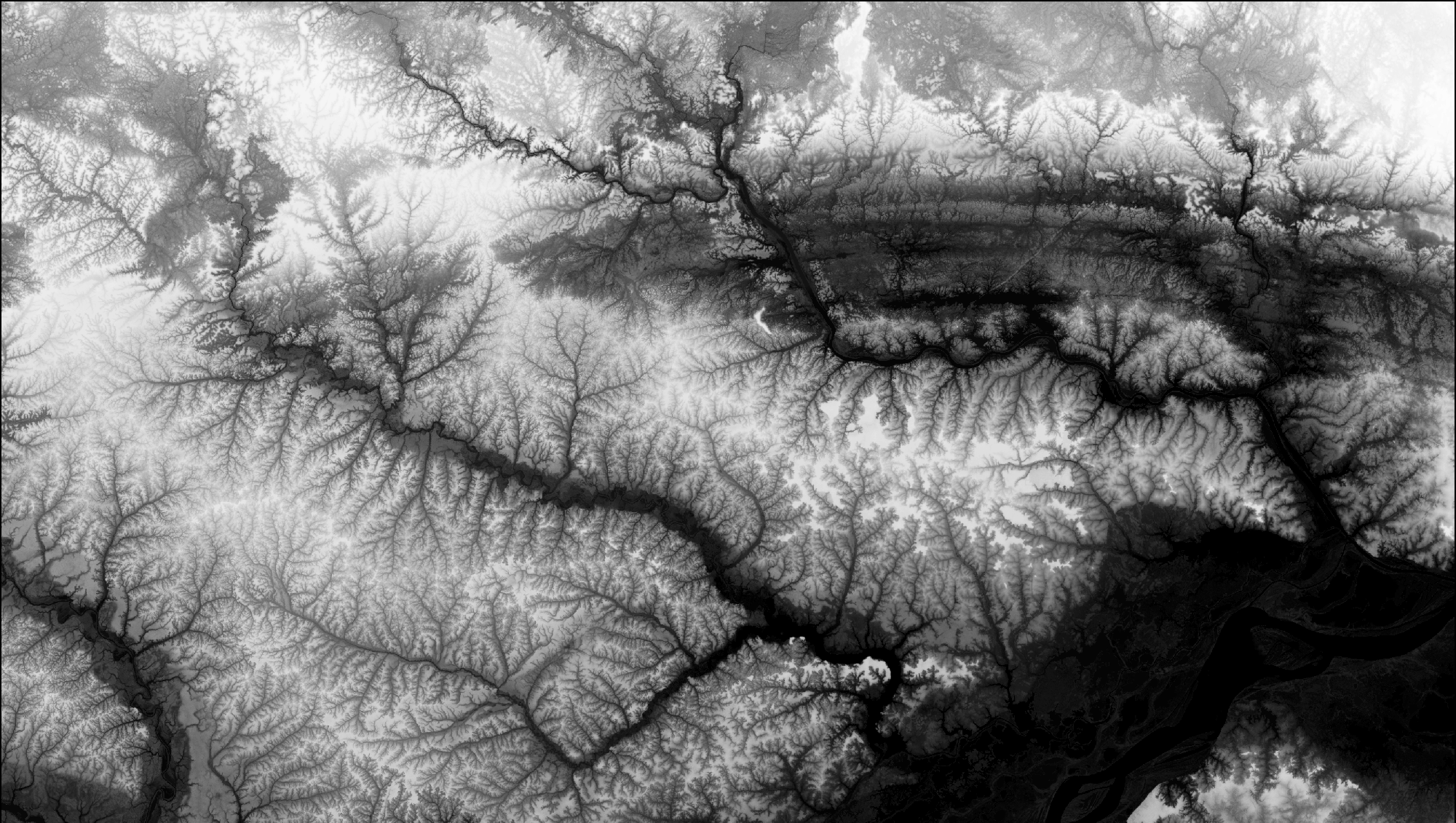
The GeoTIFF format is one of the most powerful and versatile file types in geospatial data management. While it may seem like just another raster file format, its unique ability to integrate geospatial metadata directly into the image file makes it indispensable for everything from satellite imagery and aerial photographs to Digital Elevation Models (DEMs).
What is a GeoTIFF?
GeoTIFF is an extension of the TIFF (Tagged Image File Format) standard, specifically designed to embed geographic metadata. This means it not only stores image data (like elevation values or RGB color bands) but also includes:
- Coordinate Reference System (CRS): Ensures spatial alignment with real-world locations.
- Georeferencing Information: Defines the exact position, scale, and orientation of the image on the Earth's surface.
- Projection Details: Includes information about map projections, such as UTM (Universal Transverse Mercator) or WGS84 (World Geodetic System).
This self-contained approach makes GeoTIFF a one-stop-shop for raster geospatial data, eliminating the need for external sidecar files to store metadata.
Why is GeoTIFF So Popular?
-
Self-Contained File Structure: GeoTIFF eliminates the need for separate files (like .prj or .tfw) by embedding all spatial metadata directly within the raster file.
-
Support for Complex Data Types:
- 8-bit (integer values for simple classifications)
- 16-bit (elevation models and precise data)
- 32-bit floating point (scientific measurements)
-
Compression Options: GeoTIFF supports both lossy (e.g., JPEG) and lossless (e.g., LZW, DEFLATE) compression, allowing users to balance file size with data integrity.
-
Wide Software Support: From open-source platforms like QGIS and GDAL to commercial giants like ArcGIS, GeoTIFF is universally supported.
The Anatomy of a GeoTIFF
A GeoTIFF file comprises two main components: image data and metadata.
1. Image Data
- The core raster grid, where each cell (or pixel) stores a value.
- Values can represent:
- Elevation (in meters)
- Reflectance in a spectral band
- Land cover classifications
2. Metadata
Metadata in GeoTIFF files is stored in TIFF tags and can include:
- Coordinate Reference System (CRS): Includes projection information, such as UTM zones, WGS84 ellipsoids, and EPSG codes.
- Geotransform Matrix: Defines the pixel size, origin, and rotation of the raster.
- Bounding Box: The geographic extent of the raster, including minimum and maximum latitude/longitude values.
- Additional Metadata: Acquisition date, sensor type, and data source.
How GeoTIFF Works with DEMs
When used for DEMs, GeoTIFF becomes an incredibly powerful container for elevation data. Here's why:
-
Pixel Values as Elevations: Each pixel stores an elevation value. For 16-bit DEMs, this means elevations can be represented with up to 65,536 discrete levels.
-
Georeferencing: GeoTIFF ensures that each elevation value is spatially aligned with its real-world location, enabling precise terrain analysis.
-
Projection Support: With robust CRS integration, GeoTIFF ensures that terrain data can be easily aligned with other geospatial datasets.
Example Workflow
- Aerial LiDAR scans generate a raw point cloud.
- The point cloud is interpolated into a raster DEM and exported as a GeoTIFF.
- The GeoTIFF DEM is imported into GIS software, where its geospatial metadata ensures perfect alignment with basemaps and satellite imagery.
GeoTIFF and Compression: Balancing File Size and Performance
GeoTIFF offers several compression methods, allowing users to optimize storage without compromising data integrity:
-
LZW (Lempel-Ziv-Welch):
- Lossless compression algorithm
- Ideal for DEMs and scientific data
- Preserves original elevation values
-
DEFLATE:
- Lossless compression
- Balances efficiency and compatibility
-
JPEG:
- Lossy compression method
- Better for visual data like aerial imagery
- Not recommended for DEMs
GeoTIFF in Action: Practical Applications
-
Digital Elevation Models (DEMs)
- Use Case: Terrain analysis, hydrology, and infrastructure planning
- Example: A GeoTIFF DEM can store elevation data for a floodplain, enabling precise modeling of potential inundation zones.
-
Multispectral Satellite Imagery
- Use Case: Land cover classification, vegetation health monitoring
- Example: A GeoTIFF file can store multiple spectral bands for analysis in remote sensing software.
-
Urban Planning
- Use Case: Generating 3D city models
- Example: A GeoTIFF can combine elevation data with building height layers for realistic urban simulations.
Limitations of GeoTIFF
While GeoTIFF is incredibly versatile, it's not without its challenges:
-
File Size: High-resolution datasets can result in massive GeoTIFF files, especially when using 16-bit or 32-bit precision.
-
Complexity: Managing projections and CRS metadata can be daunting for beginners.
-
Compression Artifacts: Inappropriate use of lossy compression methods (e.g., JPEG) can distort data.
Why GeoTIFF is Perfect for TerraTopic Forge
TerraTopic Forge, our cutting-edge tool for DEM optimization, fully supports GeoTIFF as its primary format. Here's why GeoTIFF is central to Forge's mission:
-
Seamless Normalization: Forge leverages GeoTIFF metadata to identify elevation ranges and apply precise normalization, ensuring every DEM utilizes its full bit depth.
-
Efficient Workflow: With Forge, users can directly manipulate GeoTIFF files, from resampling to compression, without needing external tools.
-
Enhanced Visualization: By fully utilizing GeoTIFF's georeferencing capabilities, Forge ensures perfect alignment with basemaps and aerial imagery.
Conclusion
GeoTIFF is far more than just a file format—it's the backbone of modern geospatial analysis. Its ability to seamlessly combine raster data with geospatial metadata makes it an essential tool for professionals working with DEMs, satellite imagery, and other raster datasets. Whether you're analyzing flood risks, building 3D models, or creating stunning landscapes for virtual worlds, GeoTIFF ensures precision, compatibility, and efficiency.
With tools like TerraTopic Forge, the true potential of GeoTIFF can be unlocked, putting users in complete control of their terrain data. From normalization to advanced visualization, GeoTIFF remains the perfect partner for modern geospatial workflows.